
How it works
From what you know to a QR code.
Start from a document and let the AI draft the activities, or build them by hand from a blank page. You edit everything, decide what visitors see and print the QR codes. No technical background required.
Watch the whole process
The video follows the path that starts from a document. Every activity can also be built by hand, without an AI draft.
Read the transcript
This is what a visitor sees on their phone after scanning a QR code. Here is how an activity like this is made, in six steps.
Step one is your sources. Add documents your institution already has, PDF or Word, or the address of a web page. There is nothing to prepare.
Next you choose the audience, children for example, and the platform suggests a plan of activities: a quiz, a jigsaw, a memory game, a word search. The suggestion is only a starting point. You change the numbers yourself.
Before anything is built, you see exactly what will be made, and you confirm your institution's responsibility for the source material.
Then the AI takes over. It writes the content and generates the illustrations, and if you want, it translates and narrates. You don't need to do anything while it works.
The step that matters most is the review. Everything the AI made starts as a draft. You read it, correct it, and only then mark it verified. Until you do, visitors cannot see it. Someone at your institution always has the last word.
Finally, you print the QR sheet and put it next to an exhibit, along a trail or at the entrance.
The visitor scans the code and plays in their phone's browser. No app to install and no sign-in. Aristoqle: from document to QR code.
- Bring your material
- Edit and approve
- Print the QR codes
Two ways to start
Pick the way that suits you.
-
Start from your documents
Upload a catalogue, a guide or a web page. The platform proposes a plan and drafts the activities. You edit every line before anyone sees it.
This is the quickest way when the knowledge is already written down. The AI also writes the translations and the narration, and it can generate illustrations. Every draft waits for you.
-
Start from a blank page
Build an activity yourself: write the questions, add your own pictures, set the order. The AI is needed only if you want other languages or narration.
This suits a curator who would rather write every question personally, or an activity with no document behind it.
Either way, someone at your institution decides what visitors see.
Step by step
From the first source to the printed code.
-
Sources
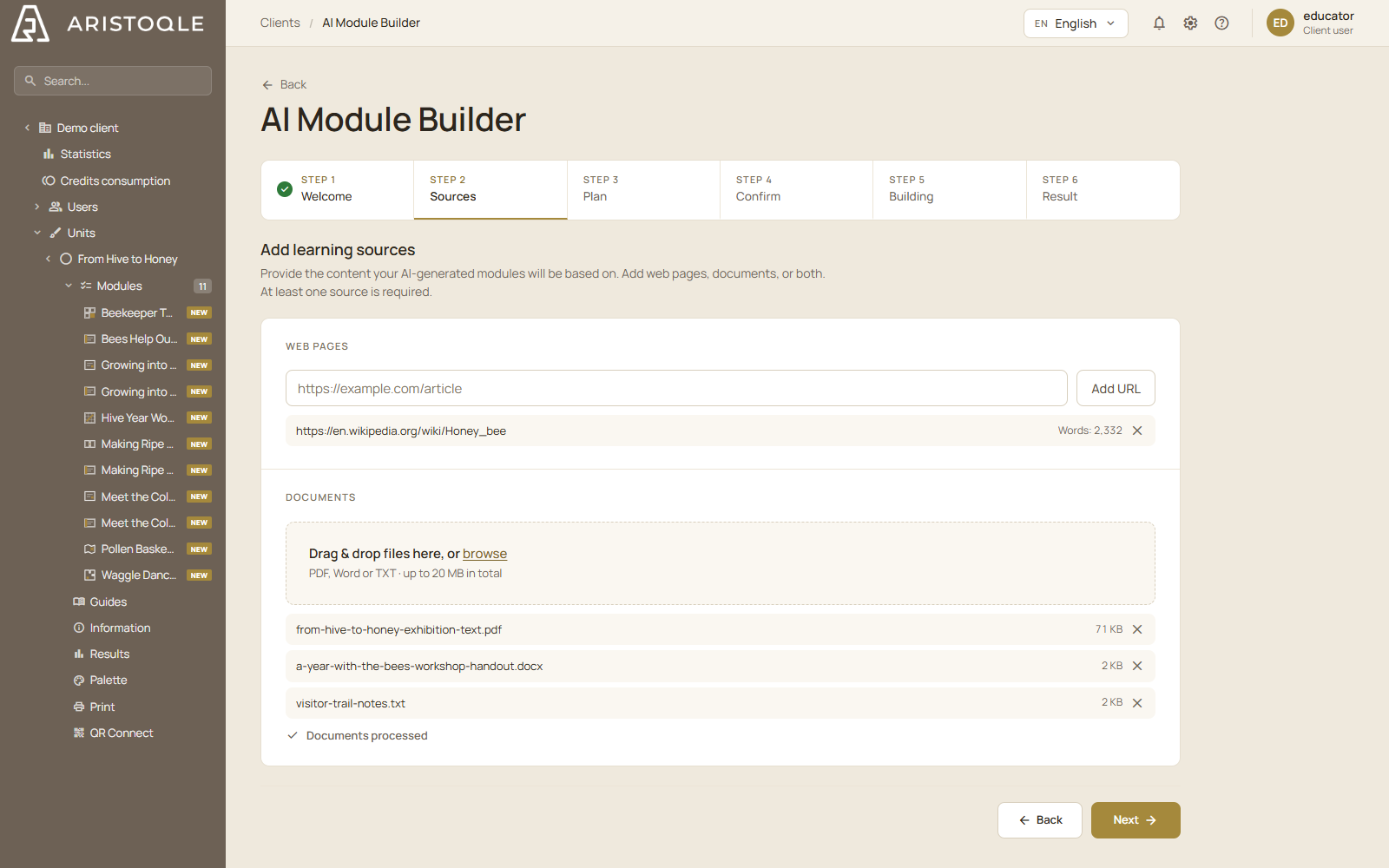
Upload PDF or Word documents, paste text, or add a web address or photos. The platform extracts their text and pictures, so you can start from a catalogue or guide you already have. Building by hand? Skip this step and start from nothing.
-
Plan
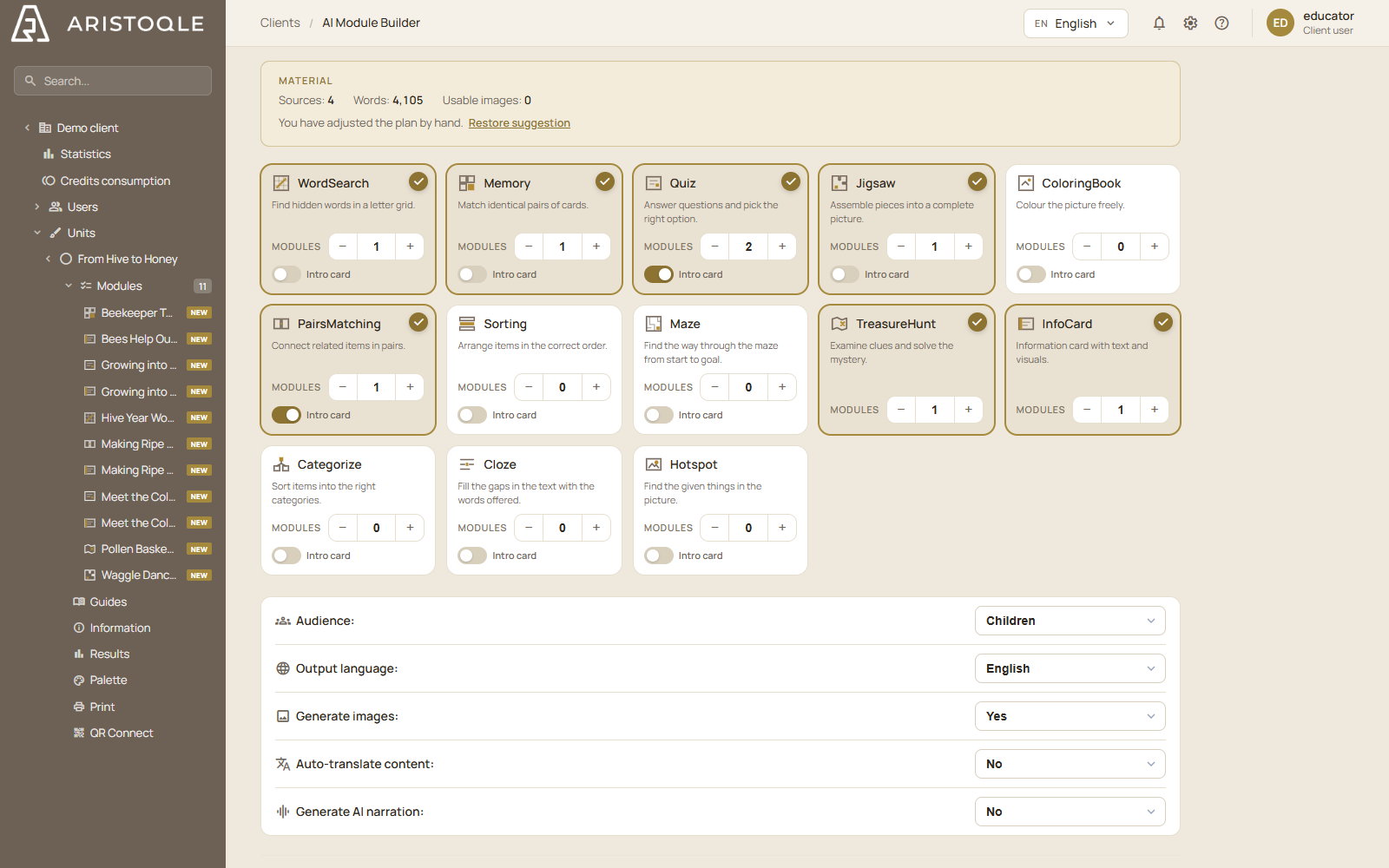
The platform recommends activities from your material and the audience you choose: children, teenagers or adults. Add, remove and reorder them, or start with an empty plan and add activities one by one. Before the AI builds anything, you see what will be made and confirm your institution’s responsibility for the source material.
-
Build
The AI drafts the text, illustrations, translations and narration of the activities you asked it for, and you can leave it to work. The activities you write yourself take shape as you write them, with your own pictures. Other languages and narration are always made by the AI.
-
Edit and approve
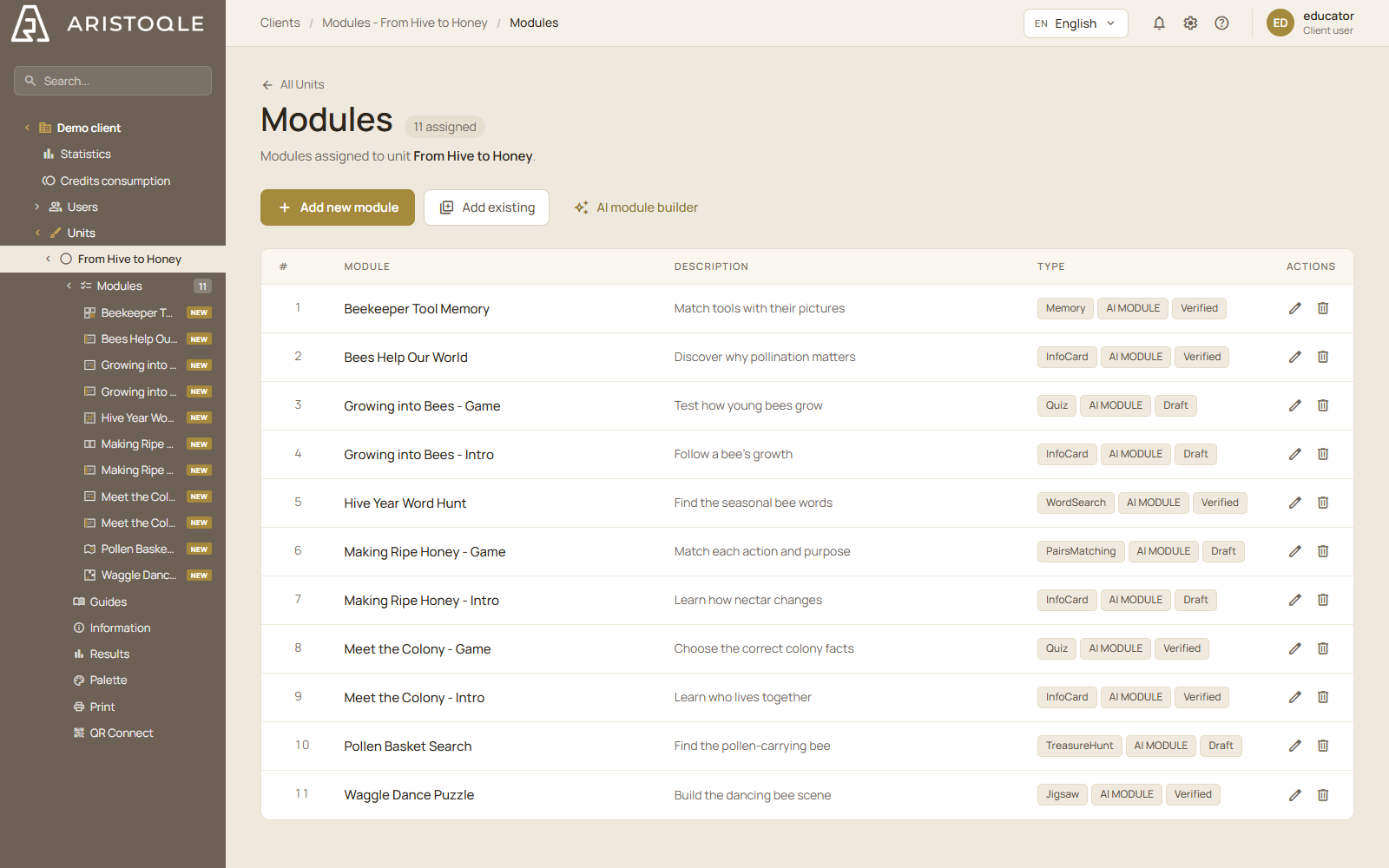
Rewrite a sentence, replace a picture, delete a question. Everything the AI drafts waits until you mark it verified; until then, visitors cannot see it and it cannot be exported. What you write yourself is yours from the first line.
This is the step that matters most. Every AI run stays on record, and someone at your institution always has the final say.
-
Publish
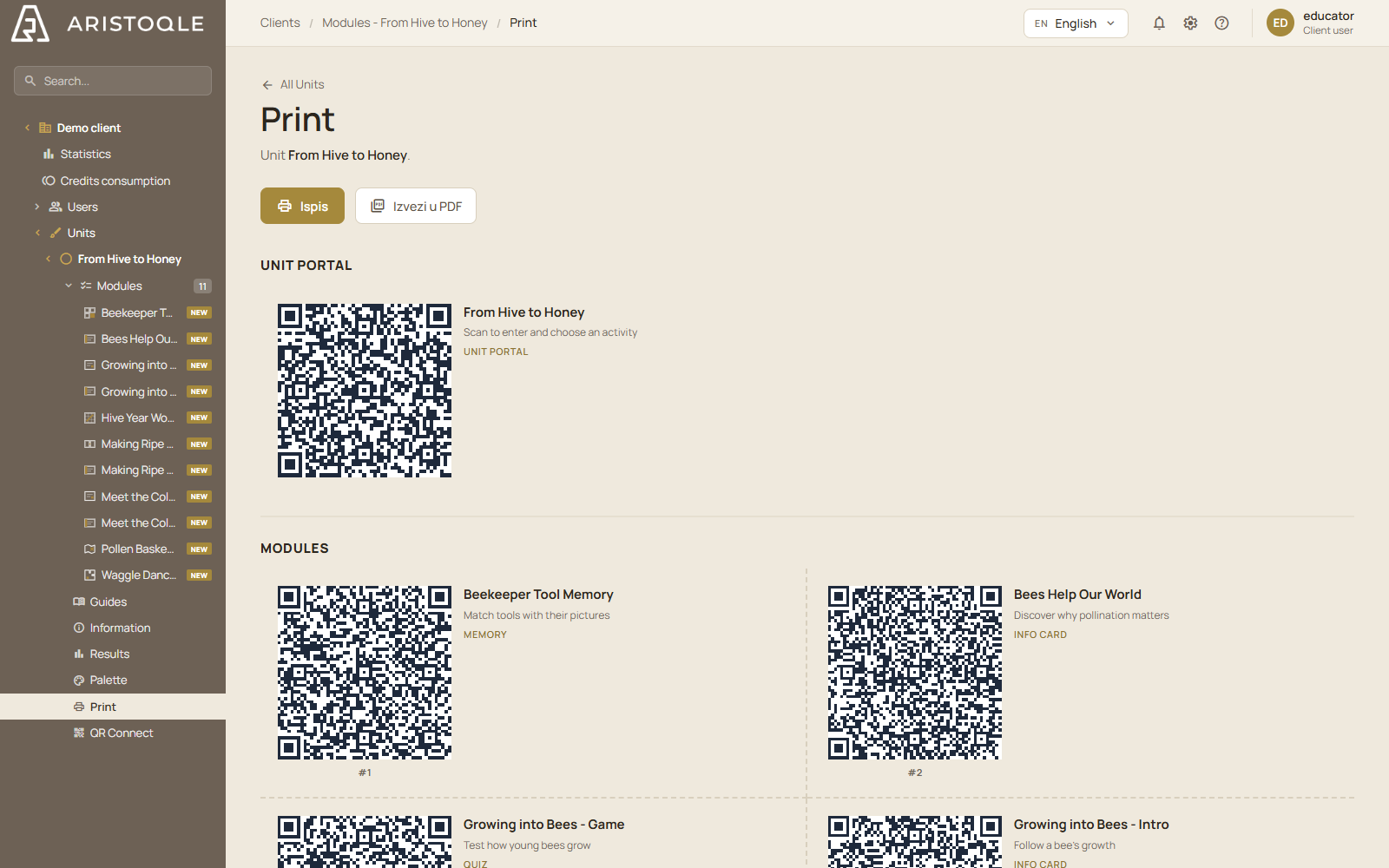
Print station signs, a poster or a leaflet in your institution’s colours, with visit guides for different audiences, and place the QR codes by an exhibit, along a trail or at the entrance. Every QR code goes through a short permanent link, so you can change where it leads even after printing. Exporting your raw content is free on every plan.
No technical staff required
One person, one afternoon.
Aristoqle is built for educators, curators and interpretation officers. Work in your browser, with nothing to install or program.
- You work in a browser, on the computer you already have
- You start from documents the institution already owns, or from a blank page
- The platform recommends a plan; you decide what to change
- Visitors need only a phone and the QR code
On your own content
A one-minute demo.
Enter the address of a page about your institution, exhibition or trail. Aristoqle reads it and makes five short games from it: a quiz, a word search, matching pairs, an ordering game and a fill-in-the-blanks text.
-
We read the page
We take only the main text at the address you entered.
-
We plan the games
The AI decides which facts go into which game, so that each game covers a different part of the content.
-
We write them one by one
You can play each game as soon as it is ready, while the rest arrive. It all takes about a minute.
Your first unit
Start with what you know.
Open a free account. Bring a catalogue or a guide, or start from a blank page, and build your first unit of interactive learning.